Plan tomorrow's outfit from what you own.
Your wardrobe, your weather, your taste. Tell Plan Outfit the occasion and when, swipe through your own pieces, and get the look styled on you.

How it works.
Four steps from open the app to wear the outfit. Styling runs through BrandsAI's server in Canada: your wardrobe stays in your account, and AI requests go to third-party model providers, which may process them outside Canada.
Build your wardrobe
Scan or import each piece. Each one is identified and tagged: category, colour, cut and condition, with an estimated resale value. You stay in control of the metadata.
Tell us about your day
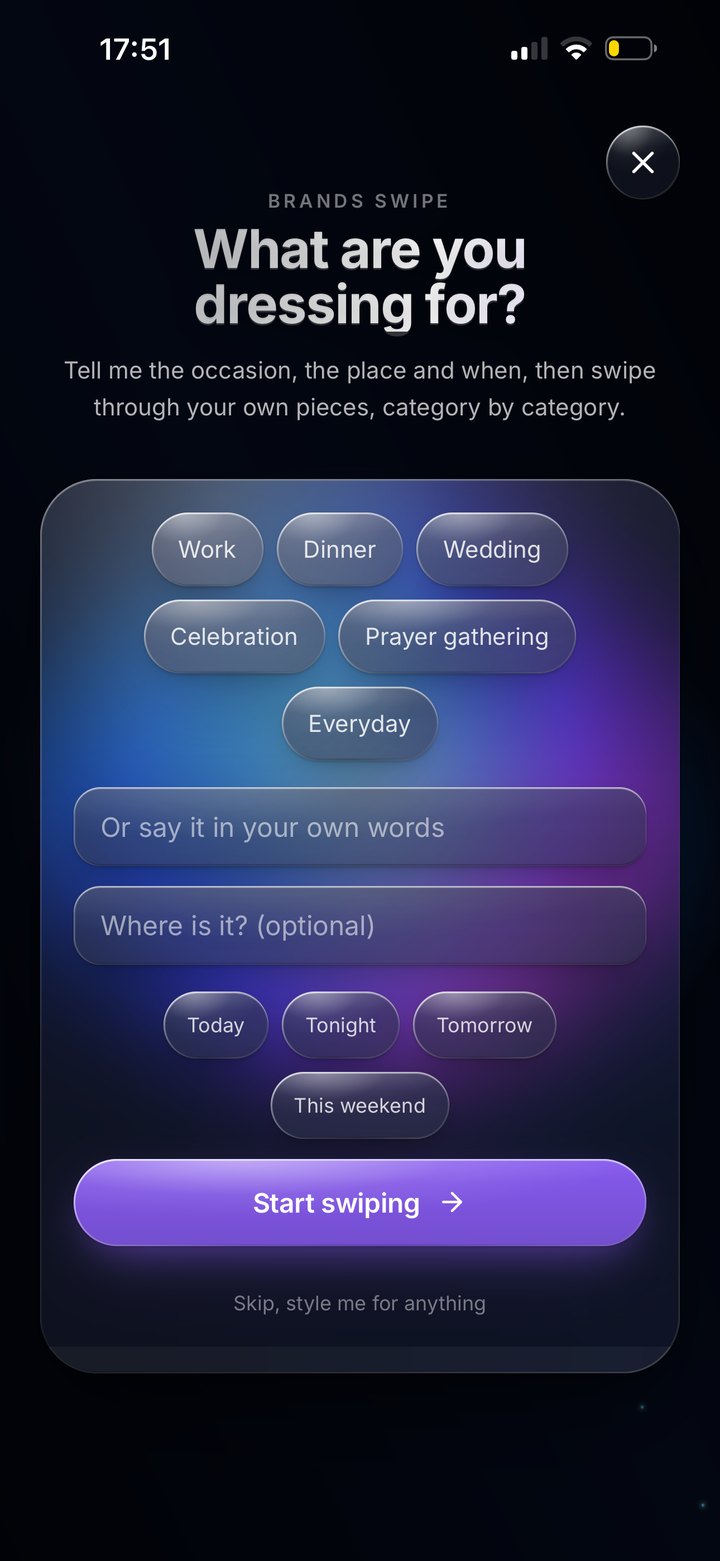
Pick the occasion: work, dinner, a wedding. Local weather is fetched against your location of choice. You set the rules.
It styles the look
Swipe through your own pieces, category by category, and it styles the look on you.
Wear, save, share
Accept the outfit, swap a piece, or ask for a fresh take. Save the outfit to your day. Share, if you want, on your terms.
The flow, on screen.
A real screen from the iOS build: the brief that asks what you are dressing for.
The signals that shape every outfit.
Every input is yours: your taste goes with your data when you export it or delete your account, and the composer never reaches past what you allow.
What you own
The composer only suggests pieces in your wardrobe. It does not push you to buy.
Real conditions
Temperature and conditions where you will be, fetched when you plan.
Your week, planned
Looks you plan land on the Brands calendar, day by day.
Your taste, encoded
Learned from the pieces you keep and skip. Exported with your data.
Where you are going
Work, dinner, a wedding: you pick the occasion and when, and the look is built for it.
Hosted in Canada
Your wardrobe stays in your account on our server in Canada. AI requests go to third-party model providers, which may process them outside Canada.
The planner is part of the app.
There is no separate web demo. Plan Outfit lives inside the BrandsAI iOS app, now in private beta, and reaches its full quality only when you have built your wardrobe. We chose the harder path because it is the right one for the user.
Join the waitlist