From sign-in to your first outfit.
There is no friction wall and no growth hack. When your wave opens, set your name and photo, scan a few pieces, and the Stylist starts composing with clothes you actually own.

Phase 01 · Identity
Join the waitlist
BrandsAI is a phone app. Brands opens in waves: join the waitlist and we write to you when your wave opens.
Create your account
Email, password, done. Your account lives on a server in Canada, encrypted in transit. No ads, no data sales.
Your name and your photo
The first thing the app asks. Pick an avatar or upload a photo, choose your name. Uploading is consent-first: review the consent box, and the model touches your photo only with consent on. That photo is what makes try-on renders look like you.
Teach it your style
A short guided flow: the base model for your digital twin, then the aesthetics that define you, minimalist to streetwear to old money. Ten screens, and you can go back at any point.
Choose a plan, or do not
The app shows the tiers once: free stays free, and Brands+ is US$20 a month or US$200 a year on brandsai.ca (once the app is on the App Store, it will show the App Store price for your country), with two months free on yearly. Pick free and keep moving, or upgrade when it earns it. The full breakdown is on the pricing page.
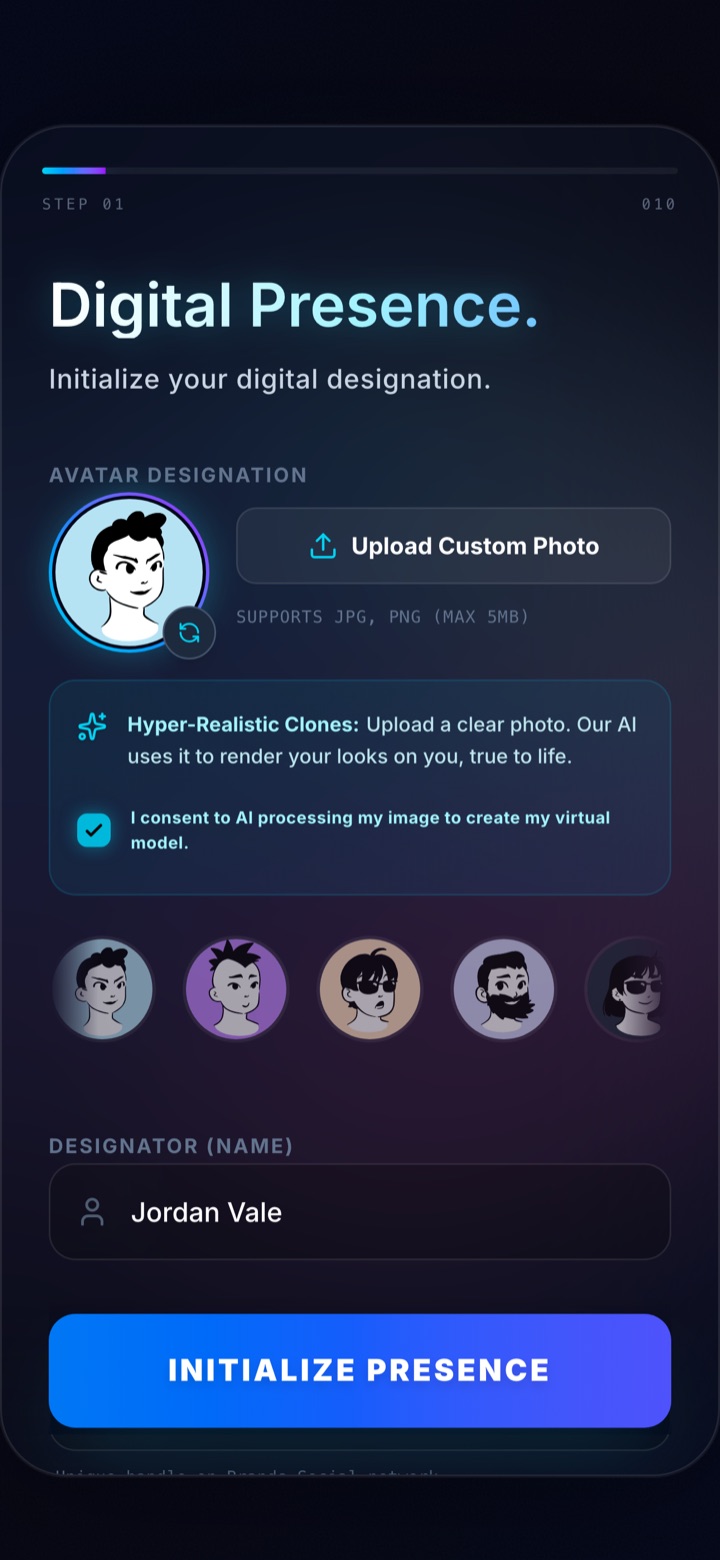
The first screen the app asks
Phase 02 · The launchpad
Build your closet
Point the scanner at a garment and the recognition model tags it. The setup checklist tracks your progress toward a ten piece closet with a progress ring; the more the app can see, the sharper the Stylist gets.
Generate your first outfit
Ask the Stylist for a look and pick an occasion. The model returns a composed outfit using only what you own. Wear it, edit it, or ask for another.
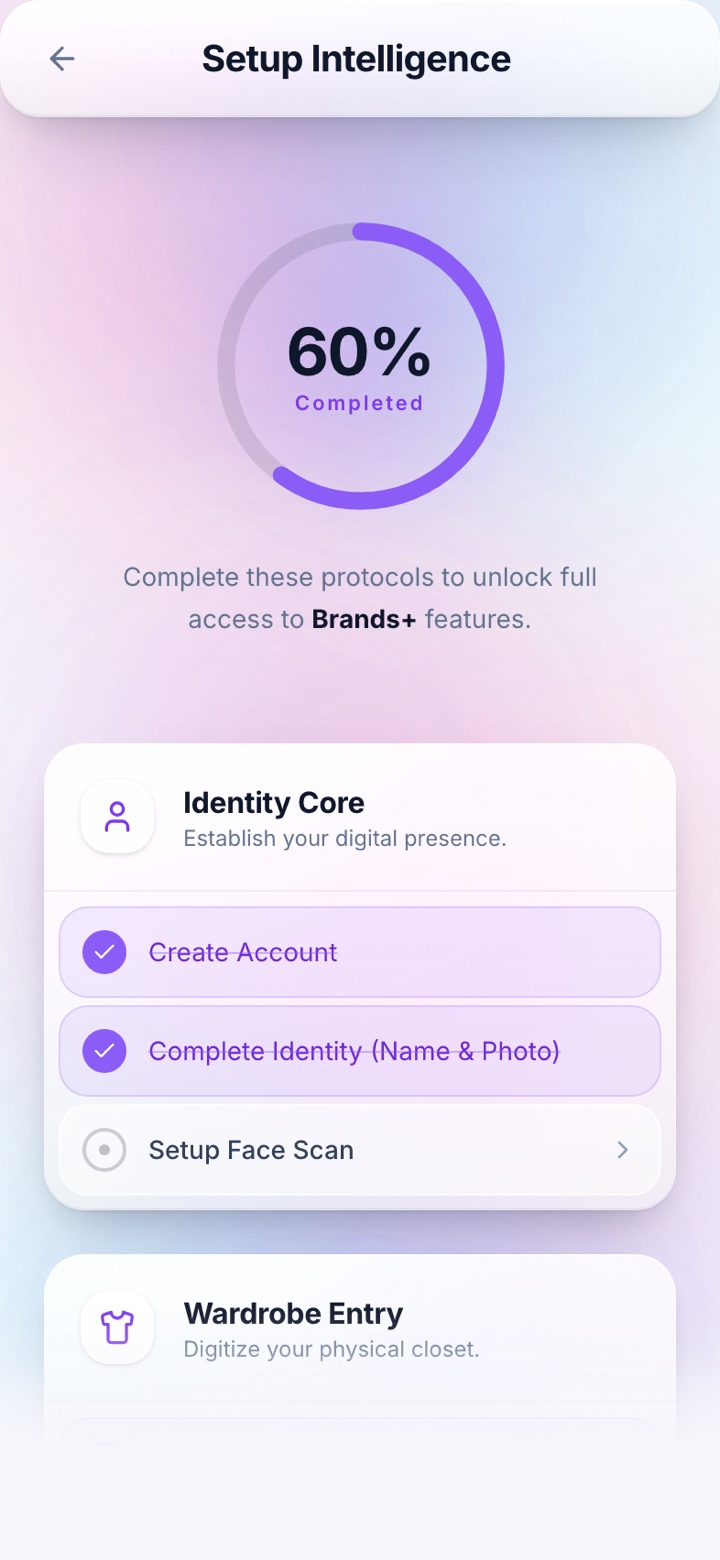
The setup checklist keeps score
BrandsAI is in private beta on iOS, and Brands opens in waves. Questions before you start: hello@brandsai.ca.
Minutes after your wave opens, your first outfit.
BrandsAI is a phone app in private beta. Join the waitlist, start free when your wave opens.